Low Cost, High Quality PC build

Newegg Black Friday 2024 $200 platform bundle deal

$69.99   ASRock B550M Pro SE AM4 DDR4 SATA 6Gb/s 1 PCIe 4.0 x16 Micro ATX Motherboard
$129.99 AMD Ryzen 7 5700X – Ryzen 7 5000 Series Vermeer (Zen 3) 8-Core 3.4 GHz Socket AM4 65W None Integrated Graphics Desktop
$0.00     CORSAIR Vengeance LPX 32GB (2 x 16GB) 288-Pin PC RAM DDR4 3200 (PC4 25600) Desktop Memory Model CMK32GX4M2E3200C16

Total PC cost = $450.38 https://pcpartpicker.com/list/zxjZ2x

Cost if you build it today. https://pcpartpicker.com/list/MmzY2x

Gaming Computer 2019

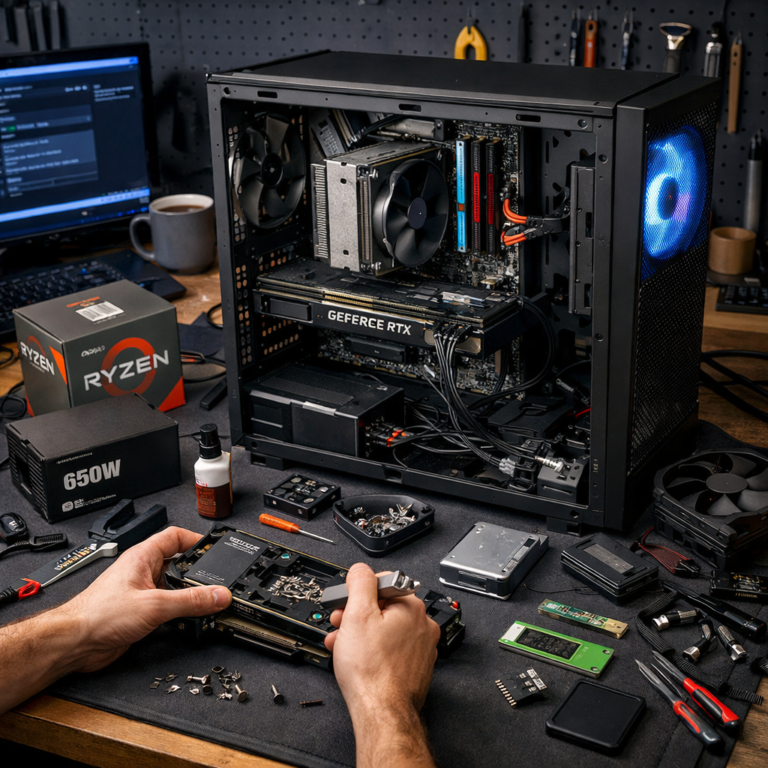
I’m currently working on a budget gaming PC. The following is the final list of components that I am using.

Gaming Computer Components

gaming computer build list


CPU: AMD RYZEN 5 2600 6-Core 3.4 GHz (3.6 GHz Turbo) Socket AM4 processor with Wraith Spire Cooler


AMD SenseMI Technology
Socket AM4
Max Turbo Frequency 3.6 GHz
16MB L3 Cache
3MB L2 Cache
DDR4 Support
Unlocked Processor
Thermal Design Power 65W
AMD Wraith Spire 95W Cooler Included


Motherboard: MSI B450M Bazooka


Supports AMD® Ryzen 1st and 2nd Generation/ Ryzen™ with Radeon™ Vega Graphics/ Athlon™ with Radeon™ Vega Graphics Processors for Socket AM4
Supports DDR4 Memory, up to 3466+(OC) MHz
Lightning Fast Game experience: 1x TURBO M.2, Store MI technology
Core Boost: With premium layout optimized power design to support more cores and provide better performance.
DDR4 Boost: Advanced technology to deliver pure data signals for the best gaming performance and stability.
Audio Boost: Reward your ears with studio grade sound quality for the most immersive audio experience
PCI-E Steel Armor: Protecting VGA cards against bending and EMI
X-Boost: Software that auto-detects and allows you to boost the performance of any storage, Optane or USB device
EZ Debug LED: Easiest way to troubleshoot.


Memory: HyperX FURY 8GB (2 x 4GB) 288-Pin DDR4 SDRAM DDR4 2666 


HyperX® FURY DDR4 can handle even the toughest battle. It recognizes its host platform and overclocks to the highest frequency published (up to 2666MHz*) — so you can wreak havoc. FURY DDR4 runs at 1.2V, even at 2666MHz, so it stays cooler while you play. You don’t need to alter the voltage to reach higher speeds, which means there’s more power for other hardware in the system. FURY’s sleek, asymmetrical black heat spreader provides enhanced thermal dissipation to help keep your cool and help you stand out from the crowd.

Automatic overclocking — up to 2666MHz
Low power consumption at 1.2V
Optimized for X99 series motherboards
Stylish low profile heat spreader in black


Storage: (2) X Kingston – A400 240 GB 2.5″ Solid State Drive


Kingston’s A400 solid-state drive dramatically improves the responsiveness of your existing system with incredible boot, loading and transfer times compared to mechanical hard drives. Powered by a latest gen controller for read and write speeds up to 500MB/s and 450MB/s1, this SSD is 10x faster than a traditional hard drive1 for higher performance, ultra-responsive multi-tasking and an overall faster system. Also more reliable and durable than a hard drive, A400 is available in multiple capacities from 120GB–960GB2.

Fast start-up, loading and file transfers
More reliable and durable than a hard drive
Multiple capacities with space for applications or a hard drive replacement


Video Card: ZOTAC GeForce GTX 1060 DirectX 12 ZT-P10620A-10M 6GB 192-Bit GDDR5X


zotac video card

The NVIDIA GeForce GTX 1060 6GB is a great graphics card for gamers seeking serious performance and features at a price that won’t bust the wallet. Based on the state-of-the-art Pascal architecture, the GeForce GTX 1060 is built using 16nm FinFET technology and equipped with 1280 CUDA processors that operate at unprecedented high clock speed. Coupled with high-bandwidth GDDR5 memory, the GeForce GTX 1060 delivers brilliant performance to take on the latest high-definition games. It also delivers innovative new gaming technologies and breakthrough VR experiences, making it the ideal choice for your gaming machine.

This ZOTAC ZT-P10620A-10M GeForce GTX 1060 6GB comes with dual large fans for efficient yet quiet cooling, and is built with superb components ensuring stability, reliability and durability you can count on in extreme gaming.


Case: ROSEWILL ATX Mid Tower Gaming Case


ROSEWILL ATX Mid Tower Gaming Computer Case

Classic and Professional Design: ROSEWILL CHALLENGER S is a typical mid tower pc computer case with a gaming look to leverage the gaming practice and a solid gaming computer case comes with a blue LED case fan at the front for excellent gaming systems.

All-Around Airflow: With 2x front blue LED 120mm and 1x rear 120mm computer case fans pre-installed, the gaming case (CHALLENGER S) aims to create the best airflow for any gaming system. ROSEWILL CHALLENGER S can not only give the excellent ventilation but also the easy access I/O ports at the front.

Spacious Internal: The ATX case pre-installs 2x front blue LED 120mm and 1x rear 120mm and support another 2x 120mm gaming case fans (optional). Easy to customize interior components with screw-less design for 5.25″ external drive bays and 3.5″ HDD.

Hassle-free Installation: The ATX mid tower case offers tool-less installation of the 2.5″ drives and 3.5″ drives for a hassle-free build. Plus, the case has a bottom-mounted dust filter that protects the power supply from the threat of dust.

Great Expandability: With up to five internal 3.5” drive bays and two external 3.5” drive bays, the Rosewill CHALLENGER gives DIY builders ultimate flexibility in personalizing their PC. It’s also furnished with three 5.25″ external drive bays. Additionally, up to seven expansion slots let you better take advantage of your motherboard’s expandability.


Power Supply: EVGA 600 W 80+ Certified ATX


When building on a budget, the EVGA 600W 80 PLUS is a great choice at a low cost. Supporting 49 A on a single +12 V rail provides more options without having to reduce your component requirements. Save space with the 600W’s compact design, well-placed power switch and fully sleeved cables. The 600 W offers the connections and protections needed for basic system builds.

Google AIY Voice Kit for the Raspberry Pi

Google AIY Voice Kit
The Google AIY Voice Kit lets you build your own natural language processor and connect it to the Google Assistant. All of this fits in a handy little cardboard cube, powered by a Raspberry Pi. More information

Google AIY Voice Kit

While on vacation, I am going to build this and I’ll report back my findings.

UPDATE

I successfully built the kit and tested the example python code. I am looking for new features to add and will report back on what I find.


More Information

url1

url2

url3

url4

url5

url6

url7

url8

url9

History of the Google and Raspberry PI Voice Kit

Growing up, the free toys on the covers of magazines were made of plastic. They were cheap, and cheerful. Yet the last thirty years has reduced the price of computing to the point where cheap and cheerful plastic toys have been replaced by other things. Around this time last year Google and Raspberry Pi did something rather intriguing. Together they packaged machine learning — the ability for your Raspberry Pi to think and reason — as a kit, and made it available free on the cover of a magazine. Perhaps unsurprisingly, the print run of the magazine sold out in hours. To be fair, it wasn’t exactly on the cover. They had to put it, and the magazine, into a box. But I guess it’s thought that counts..?

Based around the a Raspberry Pi HAT the kit enabled you to add voice interaction to your Raspberry Pi. Later in the year, Google made the same kit available through retail channels. Google called it AIY Projects, that would be AIY for “artificial intelligence it yourself.” The kit came with almost all the bits and pieces you’d need to build a Google Home style Voice Assistant using a Raspberry Pi. There was even a cardboard case for the project build which, after Google Cardboard, has become almost synonymous with Google’s in-house prototyping efforts.

Second AIY Projects Kit

Then, towards the end of last year they announced the second AIY Projects Kit. This time it was a Vision rather than a Voice Kit. The contents looked familiar to anyone that’s played with the original Voice Kit. But this time, the kit was based around a Raspberry Pi pHAT — better known as a Pi Bonnet . Designed to work with the lower powered Raspberry Pi Zero instead of relying on the horse power of the Raspberry Pi’s 3 faster processor — the new kit moved a lot of the processing power it needs onto the Vision board itself, and the Intel Movidius chip on top hints at the biggest departure from the original Voice Kit. Unlike the Voice Kit, the Vision Kit is designed to run the all the machine learning locally — on the device — rather than talk to the cloud.

Only a very limited quantity—around 2,000 units—of the Vision Kit made it onto shelves before Christmas, and then things went ominously quiet. That is, until just three weeks ago, when Google launched updated versions of both the Voice and Vision Kits.

New Kits have everything

This time the kits really did have everything, including a Raspberry Pi Zero W with pre-soldered headers, and an SD card with a pre-burned image. All you needed to add was a USB power supply. Unlike the original Voice Kit, the latest releases are built around a Raspberry Pi Bonnet, and both the Voice and Vision Kits now use the Raspberry Pi Bonnet form factor. The new Voice Bonnet has a few less pin outs than the original Voice HAT so if you’re really interested in hacking around with the kits and attaching them to external hardware — rather than just building them — you might want to think about picking up one of the original Voice HAT based kits while they’re still on shelves. You can still find them if you look.

Pi Day

Pi Day is celebrated on March 14th (3/14) around the world. Pi (Greek letter “π”) is the symbol used in mathematics to represent a constant — the ratio of the circumference of a circle to its diameter — which is approximately 3.14159.

Pi Day

The irrational number Pi has been calculated to over one trillion digits beyond its decimal point. In addition, as an irrational and transcendental number, it will continue infinitely without repetition or pattern. Only a handful of digits are needed for typical calculations, however, Pi’s infinite nature makes it a fun challenge to memorize, and to computationally calculate more and more digits.

Pi to a 1000 digits

3.141592653589793238462643383279502884197169399375105820974944592307816406286208998628034
82534211706798214808651328230664709384460955058223172535940812848111745028410270193852110
55596446229489549303819644288109756659334461284756482337867831652712019091456485669234603
48610454326648213393607260249141273724587006606315588174881520920962829254091715364367892
59036001133053054882046652138414695194151160943305727036575959195309218611738193261179310
51185480744623799627495673518857527248912279381830119491298336733624406566430860213949463
95224737190702179860943702770539217176293176752384674818467669405132000568127145263560827
78577134275778960917363717872146844090122495343014654958537105079227968925892354201995611
21290219608640344181598136297747713099605187072113499999983729780499510597317328160963185
95024459455346908302642522308253344685035261931188171010003137838752886587533208381420617
17766914730359825349042875546873115956286388235378759375195778185778053217122680661300192
78766111959092164201989

Calculate Pi (using the Nilakantha series) and Python

P = 3
MC = 1
C = 1
for MC in range(1,50000):
P = P + (4/((C+1)*(C+2)*(C+3)) – 4/((C+3)*(C+4)*(C+5)))
PI = ‘%10.60f’%(P)
print (PI)
C = C + 4

You will need run this code billions of iterations to begin to approach calculating Pi. Of course, that is why Pi is so fun!

Go here to run the program code. Just click the green run button.

Note: 22/7 is NOT Pi

By measuring circular objects, it has always turned out that a circle is a little more than 3 times its width around. In the Old Testament of the Bible (1 Kings 7:23), a circular pool is referred to as being 30 cubits around, and 10 cubits across. The mathematician Archimedes used polygons with many sides to approximate circles and determined that Pi was approximately 22/7. The symbol (Greek letter π) was first used in 1706 by William Jones. A ‘p’ was chosen for ‘perimeter’ of circles, and the use of π became popular after it was adopted by the Swiss mathematician Leonhard Euler in 1737. In recent years, Pi has been calculated to over one trillion digits past its decimal. Only 39 digits past the decimal are needed to accurately calculate the spherical volume of our entire universe, but because of Pi’s infinite & pattern less nature, it’s a fun challenge to memorize, and to computationally calculate more and more digits.

Password Management

Password Management

Ok, a quick guide to passwords. Use Passpack. It’s free (up to 100) and easy.

The average person will not be able to remember the 10’s and sometimes 100’s of passwords needed to manage your daily life. One option is to make them easy to remember (also easy to guess). Another option is to use the same password over and over (putting all your eggs in one basket). The best option is to use a password management program or website to remember your passwords.

I use Passpack for password management because they use a highly encrypted website that not only requires a master password but requires a master passphrase. Your master passphrase is encrypted so that even the folks at Passpack can not recover it for you.

We never have your un-encrypted data. Even if our servers were hacked your passwords would be safe.

Strong passwords combined with having many passwords can cause headaches. Our manager helps eliminate that by letting you tag, sort, search and manage multiple logins per site. Passpack is available to you from any browser, anywhere, anytime, no need to carry yet another device or install on multiple computers.

Source

Good Password Guidelines

Things to include

1. At least eight characters.
2. One or more of each of the following:
◦lower-case letter
◦upper-case letter
◦number
◦punctuation mark
3. Lookalike characters to protect against password glimpses. Examples: ◦O as in Oscar and the number 0.
◦Lower-case l and upper-case I.
◦The letter S and the $ sign.

Things to avoid

1. Words you can find in the dictionary.
2. Passwords shown as “example strong passwords.”
3. Personal information, such as names and birth dates.
4. Keyboard patterns, like qwerty or 12345. Particularly avoid sequences of numbers in order.
5. Common acronyms.
6. All one type of character – such as all numbers, all upper-case letters, all lower-case letters, etc.
7. Repeating characters, such as mmmm3333.
8. The same password you use for another application.

Memorable password tips

While passwords that are easy for you to remember are also less secure than a completely random password, following these tips can help you find the right balance between convenience for you and difficulty for hackers.
1. Create a unique acronym for a sentence or phrase you like.
2. Include phonetic replacements, such as ‘Luv 2 Laf’ for ‘Love to Laugh.’
3. Jumble together some pronounceable syllables, such as ‘iv,mockRek9.’

Keep your password secret

1. Never tell your password to anyone (this includes significant others, roommates, coworkers, etc.). If you need to grant someone access to your account, set up a separate username and password for that person.
2. Never write your password down, especially not anywhere near your computer.
3. Do not store your password in a plain text file on your computer.
4. Never send your password over an unencrypted connection – including unencrypted email.
5. Periodically test your current password.
6. Update your password every six months.

Source

Reattaching the cord

Well, it has been almost a year and a half since I cut the cord and joined the antennae/Netflix generation. Netflix is amazing. I watched 100’s of episodes of all different types of shows. All without commercials. It is quite a deal for $7.95/month. Also, local TV stations with the antennae were sharp, clear, and not to mention completely free.

However, my DSL through Windstream was becoming antiquated and well…slow. $70/month (with tax) for 6Mb/sec was a horrible value. It was time to reattach the cord.

I would love to have Verizon FIOS, but tragically it is not offered in my area. My only choice is the evil and outrageously priced…cable.

Luckily, Comcast has a nice deal for the holidays. $89.99 for a internet/voice/TV bundle. It has a two year contract period, but the price lasts for two years. The bill will jump $60 on month 25, however, we can cancel at that point.

So far so good. my speed has gone from 6Mb/sec down | 384Kb/sec up to:

Reattaching the cord

It will take a few days for our number to get transfer, but really a phone is a phone. It’s not all that exciting.

There seems to be lots of features with TV setup. I will report on them after I get a chance to try them out.

Windows 10

Windows 10
Windows 10

Windows 10 free upgrade details

Windows Offer Details- Yes, free! This upgrade offer is for a full version of Windows, not a trial. 3GB download required; standard data rates apply. To take advantage of this free offer, you must upgrade to Windows within one year of availability. Once you upgrade, you have Windows for free on that device. Windows Upgrade Offer is valid for qualified Windows 7 and Windows 8.1 devices, including devices you already own. Some hardware/software requirements apply and feature availability may vary by device and market. The availability of Windows 10 upgrade for Windows Phone 8.1 devices may vary by OEM, mobile operator or carrier. Devices must be connected to the internet and have Windows Update enabled. Windows 7 SP1 and Windows 8.1 Update required. Some editions are excluded: Windows 7 Enterprise, Windows 8/8.1 Enterprise, and Windows RT/RT 8.1. Active Software Assurance customers in volume licensing have the benefit to upgrade to Windows enterprise offerings outside of this offer. To check for compatibility and other important installation information, visit your device manufacturer’s website and the Windows 10 Specifications page. Additional requirements may apply over time for updates. Security and features are kept automatically up-to-date which is always enabled.

More info

See the Windows 10 How to Upgrade page for details.

Windows Features

Windows Questions Answered

Cutting the Cord (cable or satellite)


“Cutting the cord” refers to choosing not to pay for cable or satellite television. In my situation, by subscribing monthly to DISH, I would be paying $73.99 per month for the “America’s Top 120” package. With the additional taxes and charges that are added, my total monthly cost would be $80.00. That is $960.00 for a year.

I use the HomeWorx Digital TV Flat Antenna for FREE Digital reception on your television. The cost is $9.99 and is commonly on sale for $7.99 shipped free. I get a total of 22 channels, including ABC, CBS, NBC, and FOX. There are many, many choices of Antennas (indoor and outdoor). A higher prices does not always equate to a better antenna. Look here for an excellent article about how to choose an antenna that is best for you. You can use this webpage to find channels that may be available in your area.

If you have a good Internet connection (5.0 Megabits per second is recommended for HD quality by Netflix), you can choose one of the many streaming services. Here is a good article comparing Netflix, Hulu Plus, and Amazon Prime. I subscribe to Netflix as I feel it is a great bargain for $7.99 per month.

The End of Support for Windows XP

The End of Support for Windows XP

The end of support for Windows XP is here. According to Microsoft, you have two options.

There is really only one viable option (assuming you want a Windows PC). Buy a new or refurbished PC with Windows 7 or Windows 8.

Dell often will have specials for new desktops for $300.00 or under. (which will include the operating system) Sample DELL PC to buy Most new PC’s have Windows 8.1 installed.

Probably the best choice is to buy a refurbished PC. On this page, you can get a nice HP computer for around 100 dollars. This computer includes Windows 7. The cost of the Windows 7 operating system happens to be also around 100 dollars.

So, there really is just one option.

Update your Internet Browser Security

Update your Internet Browser Security

Microsoft appears to be losing the Public Relations battle on security perception in the browser wars. If you Google “Internet Explorer Security” you are greeted with a plethora of very negative articles about Microsoft’s decades old product. But what about the other top browsers, Firefox and Chrome. How do they fare in security?

Firefox

Firefox is still the least secure web browser
Mozilla Redesigns Firefox Browser, Fixes Security Vulnerabilities

Chrome

Google defends Chrome browser’s security settings
Chrome Password Security Found To Be Flawed

I’m not trying to claim one browser is more secure than the other. The simple fact is they all have flaws. Internet browser security is not just “jumping ship” from IE to Chrome to Firefox when a security breach is identified. You must know YOUR browser and be diligent about upgrading and tweaking your security settings. I believe that Internet Explorer is an easy target because of the negative reputation that Microsoft has somehow developed in the past few years. Do not change…just read and secure your browser. (whichever one you use)
Tips for Internet Explorer
Tips for Firefox
Tips for Chrome

Internet Browser Security Update – Microsoft updates Internet Explorer to fix security problem